Play, Earn Gems and Reap the Rewards.
Earn gems while you play on our world's most advanced and customized Team Fortress 2 servers. Convert gems into either Titan credits to buy items from the in-game server shop or withdraw them for TF2 items.

Active Servers
FAQ
What are gems?
Gems are a powerful currency used on our servers. They drop to you for every 3 minutes spent on any server. They can purchase all sorts of things from Titan credits to TF2 items. Check out the Gems Exchange on what you can do with gems.
How do I buy Titan.TF items?
Most Titan.TF items are purchasable with Titan credits. Therefore, you have to convert gems you earn into Titan credits through the Gems Exchange. Once you have Titan credits, you can either type
!shop whilst in a server or visit the Item Shop online to browse items.
What benefits do I get from buying custom items?
Items in the Titan.TF shop are completely optional and do not grant any competitive advantage.
I can't buy anything in the shop!
You have either not enough Titan credits to purchase the item you are trying to purchase, or you do not have enough space left in your backpack to store the new items. Buy the backpack expander from the Item Shop if you ran out of space.
I can't hear the custom items I bought!
You have to install our custom content pack in order to hear custom sounds. You can do so by clicking here which will automatically connect you to our content distributor server. The installation process is automatic.
What are levels?
Levels are calculated from experience points you earn by playing on our servers. A wide range of activities from just playing, to winning a round, grants you experience points. There are over 3000 levels that support level tiers, which are the level badge prefix beside your name.
What are chests?
Chests can only be obtained from leveling up. Some event chests are called a different name and can be obtain through other ways, depending on the chest. Opening a chest will grant you a random item from the pool of items the chest is assigned to.
How do I mute someone?
- Press
Escto bring up the main menu while connected to a server. - Click the mute players icon at the bottom of the screen (Looks like an ear with an X in it).

- Scroll to the offender's name.
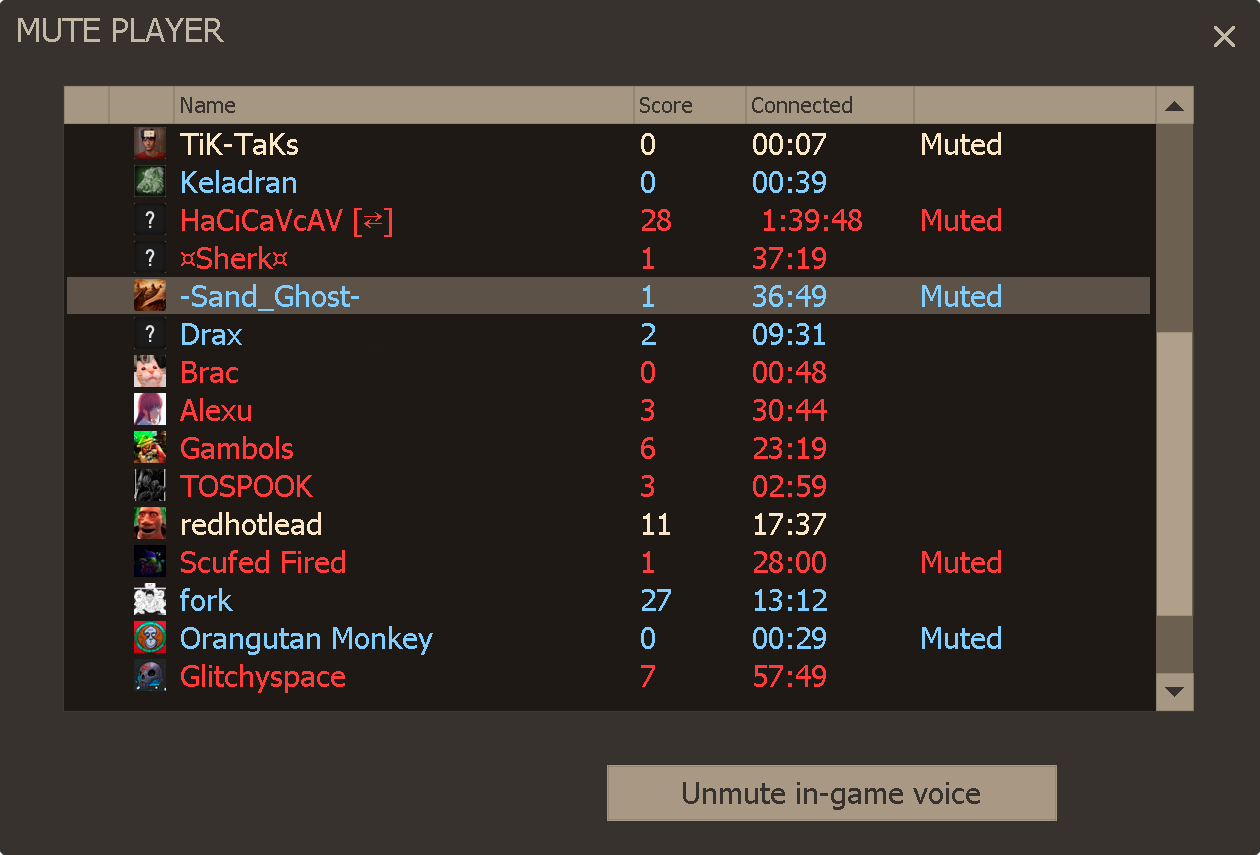
- Highlight their name.
- Click Mute in-game voice, or double-click their name.
How do I disable voice chat completely?
- Enable the develper console in your options.

- Press
` ~tilde key on your keyboard. Found next to your1key. - Type
voice_enable 0into the console.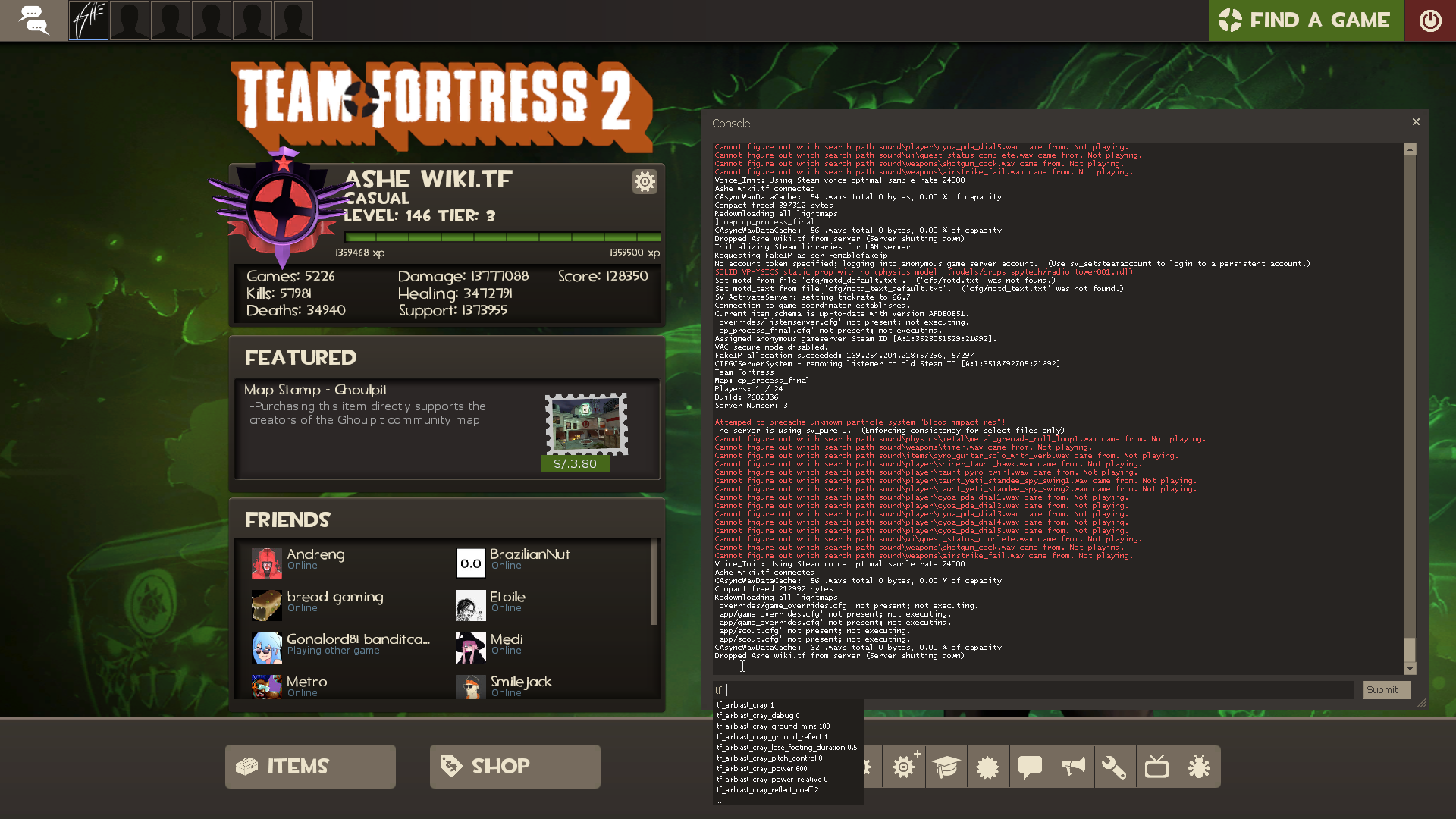
How do I report somebody for <behavioural issue> or a bug?
Click here to file a new report, or track your previous reports.
What is Titan Plus?
It is an affordable donation programme which grants players a large range of benefits that provide no competitive advantage against other players who do not have it. It starts at a low price of 11 ref per month of subscription, which is equivalent of $1 US dollar. Check out Titan Plus today!
How can I apply for moderator?
Click here to submit a new application, or track your previously submitted applications.